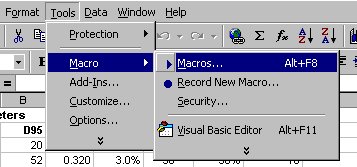
 Macros in Microsoft Excel are programs written in Visual Basic. These form part of the workbook in which they are created. The list of available macros can be viewed in one of two ways:
Macros in Microsoft Excel are programs written in Visual Basic. These form part of the workbook in which they are created. The list of available macros can be viewed in one of two ways:
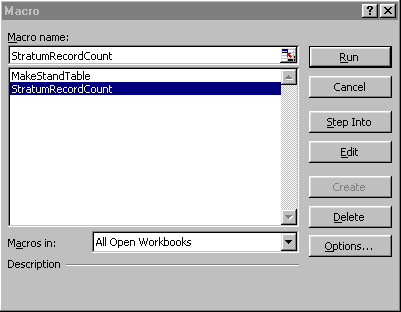 Either method will bring up a list of available macros to run, as shown at the left. Selecting the required macro and clicking the Run button will execute it.
When any of the MYRLIN workbooks are opened, Excel will report the presence of macros, and request whether you wish to enable them. It is always necessary to select the Enable macros option or they will be unable to run.
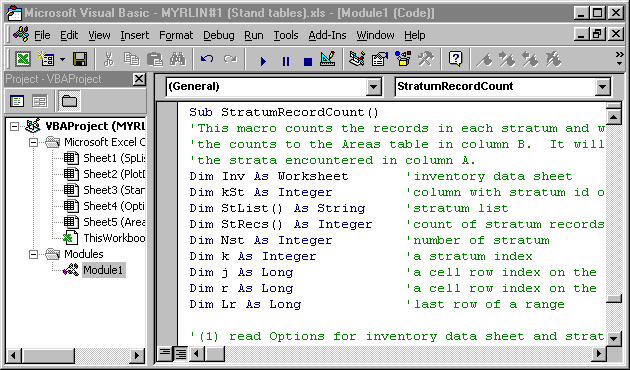
The Edit button can be used to view the Visual Basic code of the macro, and to make amendments if required. Note that if you are not familiar with Visual Basic, even very minor changes to the macro may render it unable to run, or even cause Excel to crash with a loss of unsaved data. It is therefore very important if experimenting with Visual Basic to work on a second copy of the MYRLIN file, not an original one containing valuable data. The appearance of the Visual Basic editor screen, with the start of the StratumRecordCount macro, is shown below.